

TL;DR
- An always-on agent is asleep most of the time, so what makes it always-on is the ordinary software that stays awake: an inbox, a clock and a place to park a question.
- Anthropic’s guide explains how to build each one. Its product documentation adds limits the guide leaves out, such as webhooks dropped after three failed deliveries.
- Three decisions are left to the builder: which events deserve a run, how often the clock fires, and what happens to a question nobody answers.
Anthropic’s guide to building always-on agents is frank about the name. “Always-on” describes what the user sees, while the agent is asleep most of the time. The consequence is easy to miss, which is that the model is not what makes the agent always-on. Ordinary software around it does that, and of the guide’s five building blocks three do their work while the agent sleeps: an inbox that receives events, timers that serve as its clock, and a way to end a run with a question still open. Each repays a closer look than the guide gives it, because each has a limit the guide does not mention and a decision it leaves to the builder.
The inbox
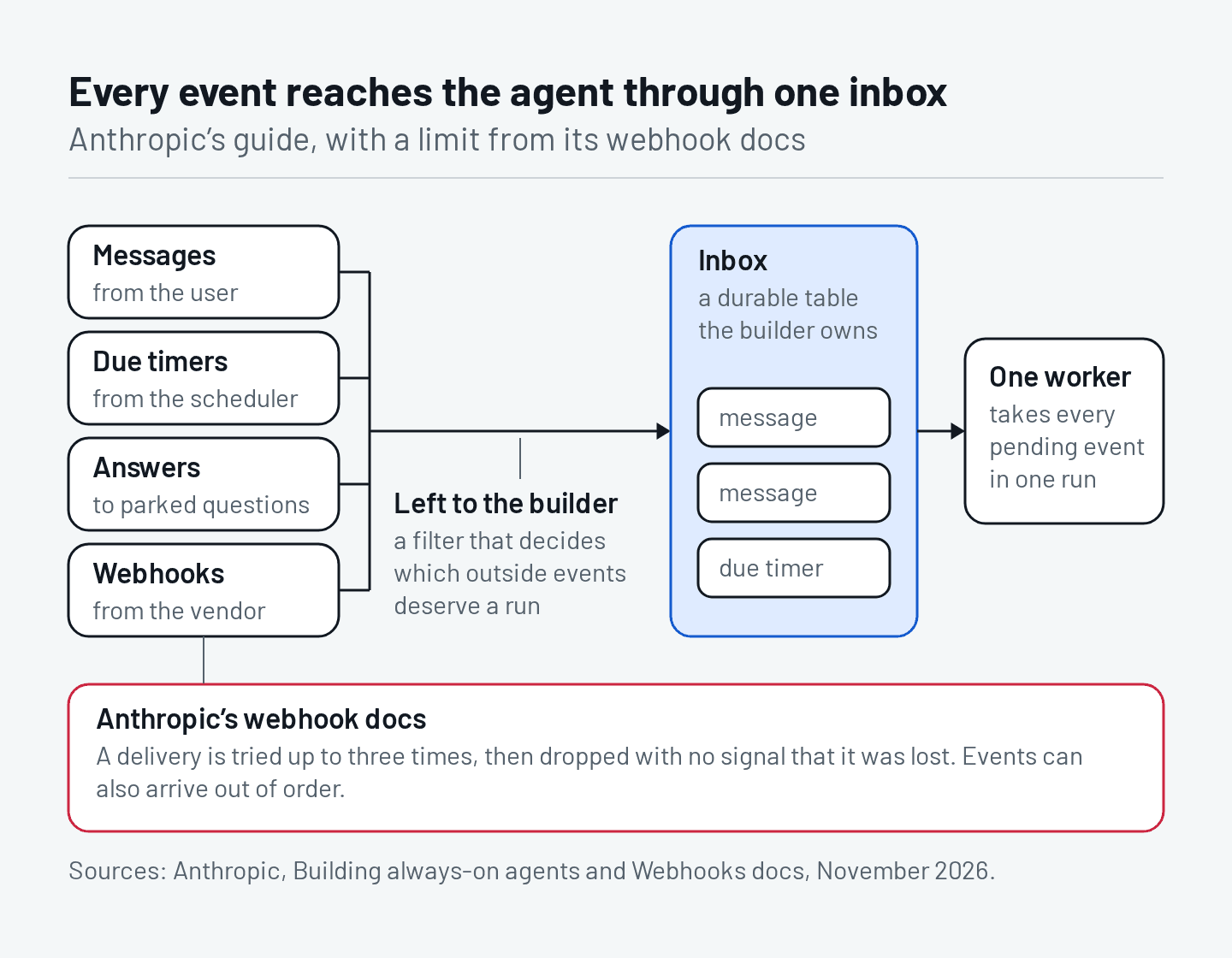
The guide’s first rule is that nothing calls the agent directly. Every source of events writes to a durable list, and one worker reads from it. Otherwise two events arriving together would start runs that compete, and a crash would lose an event without anyone knowing. One worker at a time keeps runs from overwriting each other, and reading everything pending at once means a user who sends several messages gets one reply.
Durable is the hard word in that rule. Anthropic’s webhook documentation for its hosted agents says a delivery is attempted up to three times and then dropped, with no signal that it was lost, and that events can arrive out of order. So the vendor’s webhook cannot be the inbox. It is one more source writing into a table the builder owns, and the documentation advises fetching the resource and trusting that over the notifications.
The guide is also silent on which events deserve a run. Its handler may run light checks and its inbox drops duplicates, and there the filtering stops. An infrastructure team that put an incident agent behind its alerting system built a filter first, with an allowlist, deduplication and caps on runs per hour and per day, and in the first month 41 of 645 alerts reached the agent. Every event that reaches the worker wakes a model, so the filter in front of the inbox sets much of what the agent costs.
The clock
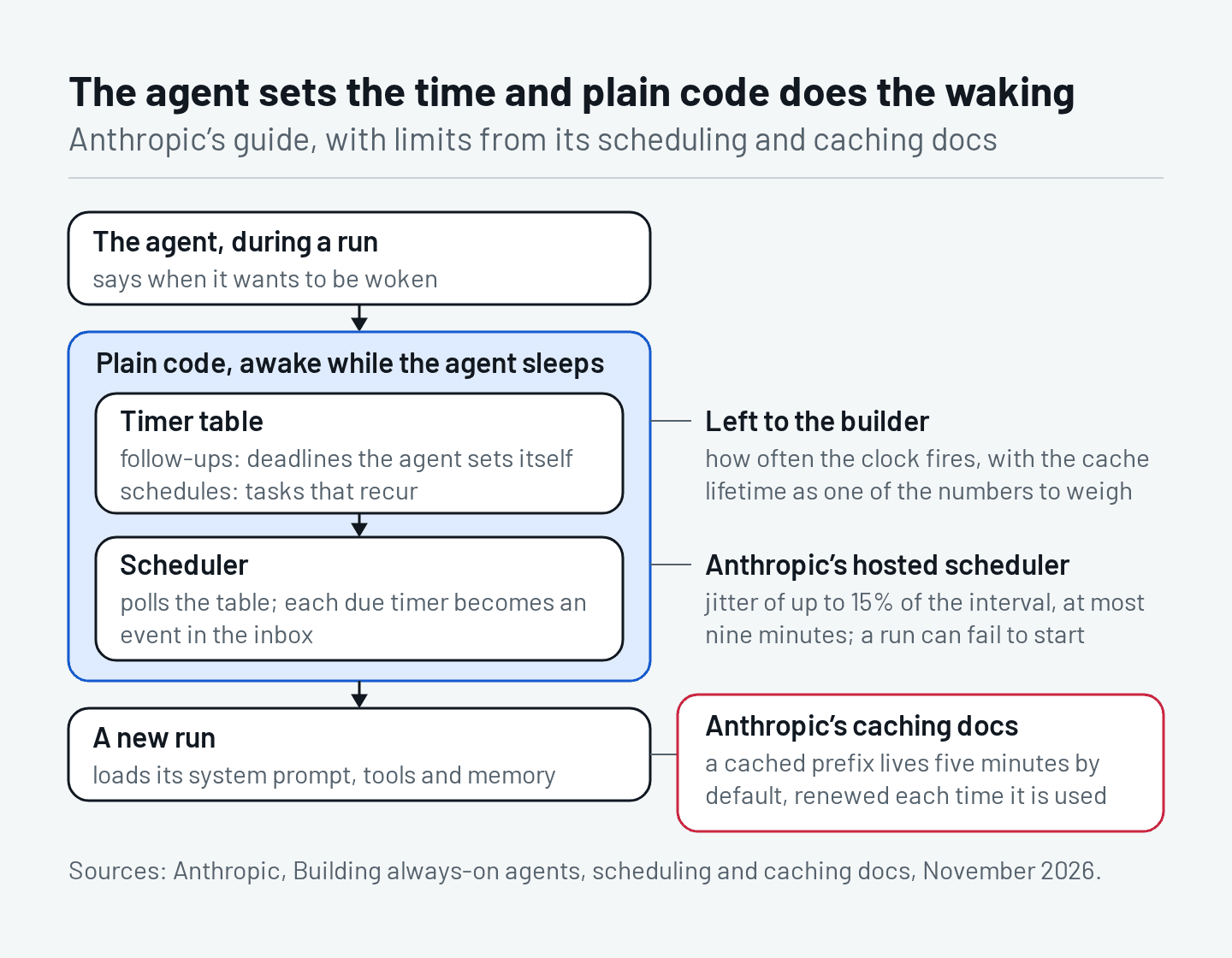
The guide separates a follow-up, a deadline the agent sets for itself, from a schedule, a task that recurs, and keeps both in a table that a scheduler polls. The agent says when it wants to be woken and plain code does the waking. That split is right for a reason the guide leaves out, which is that models are poor clocks. When AgentTime told agents to work for a stated duration, one model stopped at about the right moment in 4% of runs and the best managed 63%.
A clock in code has edges of its own, and Anthropic’s hosted scheduler documents them. A scheduled deployment fires with jitter of up to 15% of the interval, capped at nine minutes. A run can also fail to start at all, which is why each attempt gets its own record. A job scheduled for nine o’clock runs at about nine, on most days.
The other edge is the cache. The guide tells builders to keep the context a run loads lean and to cache it, and the caching documentation gives a cached prefix five minutes of life by default, renewed each time it is used. An agent that wakes every fifteen minutes will usually find that cache gone and pay for its system prompt, tools and memory in full. One developer who audited his scheduled agents found that a single fifteen-minute check had used 103.7 million tokens in ten days, usually with nothing new to report. How often the clock fires is the builder’s decision, and the cache lifetime is one of the numbers to make it with.
The parked question
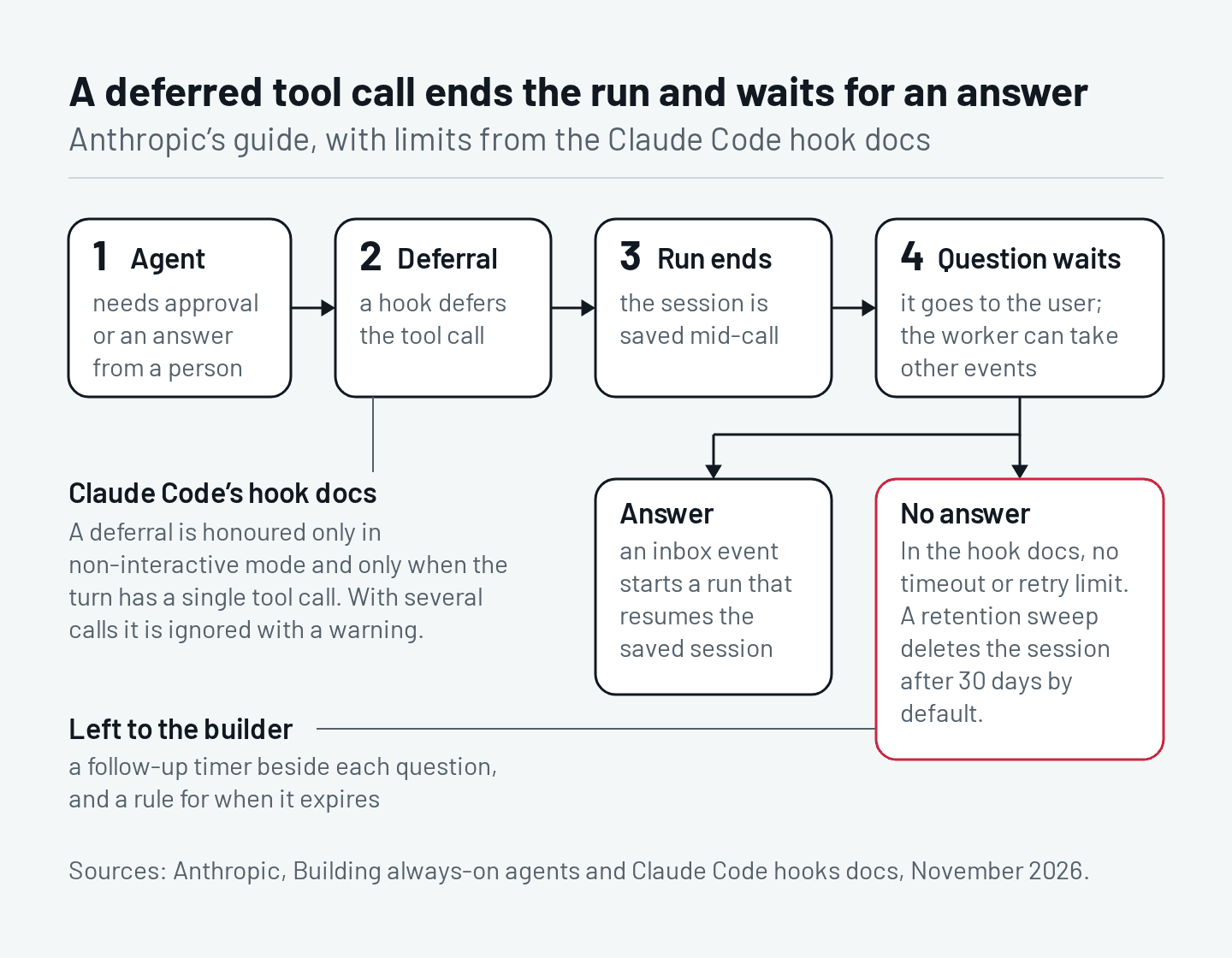
For the moment an unattended agent needs a person, the guide offers the deferred tool call. The run ends, the session is saved in the middle of the call, the question goes to the user, and the reply comes back as one more event in the inbox, which starts a run that resumes the saved session. Ending the run is the important choice, because an agent that waits inside a run keeps everything around it awake. A coding-agent service that read one of its own transcripts found a sandbox awake for 228 minutes, 52 of them inside calls to sleep, because the prompt had told the agent to wait.
The hook documentation behind the feature adds the small print. Claude Code honours a deferral only in non-interactive mode, and only when the turn contains a single tool call. If the model makes several calls at once, the deferral is ignored with a warning and the call goes through the ordinary permission flow. There is no timeout and no retry limit, and the saved session stays on disk until a retention sweep deletes it, after 30 days by default. A question nobody answers waits a month and then disappears with its session.
So the pattern needs two things the guide does not supply, a follow-up timer beside every parked question, so that silence becomes an event too, and a rule for what the agent does when no answer comes.
Implications
The guide is a sound design, and none of this is a flaw in it. Reading it beside Anthropic’s own documentation shows where a team’s own work begins: a table it owns, a cadence it has costed and an expiry for every open question. Each is otherwise discovered in production.
Takeaways
- Treat every event source as lossy, the vendor’s webhooks included, and write events to a table you own. A source that guarantees delivery and order can be read directly.
- Put a filter in front of the inbox and decide what deserves a run. Where every event needs judgment, let them through and cap the runs per hour.
- Choose the wake interval against the cache lifetime and the cost of a run that finds nothing. For periodic work, such as a daily report, the schedule is the event.
- Set a follow-up for every parked question and decide what happens when it expires. Where a person is always watching the queue, the question can wait.